
Releases
Changelog
Every release, newest first. Versions follow SemVer, and until 1.0 a minor version may change the settings format. The .vsix for each version is attached to its GitHub release.
Added
- AWS IAM (RDS/Aurora) authentication for PostgreSQL and MySQL/MariaDB data sources. Tablecloth mints the 15-minute RDS token itself through the AWS CLI on every connect (the explorer, a console, Test Connection), so an IAM-protected database behaves like any other source: nothing to paste, nothing stored, and a dropped session reconnects with a fresh token. Choosing the mode swaps the Password row for an AWS profile list read from
~/.aws/configand~/.aws/credentials(names, regions and whether each signs in through SSO or holds keys; any other name can be typed, and blank means the default credential chain) and an AWS region read off RDS host names, which only has to be typed behind a CNAME. RDS takes the token over TLS alone, so the mode moves an SSL mode of disable to require. An expired SSO session, an unknown profile, a missing CLI or a role withoutrds_iameach come back from Test Connection as a message naming the next step.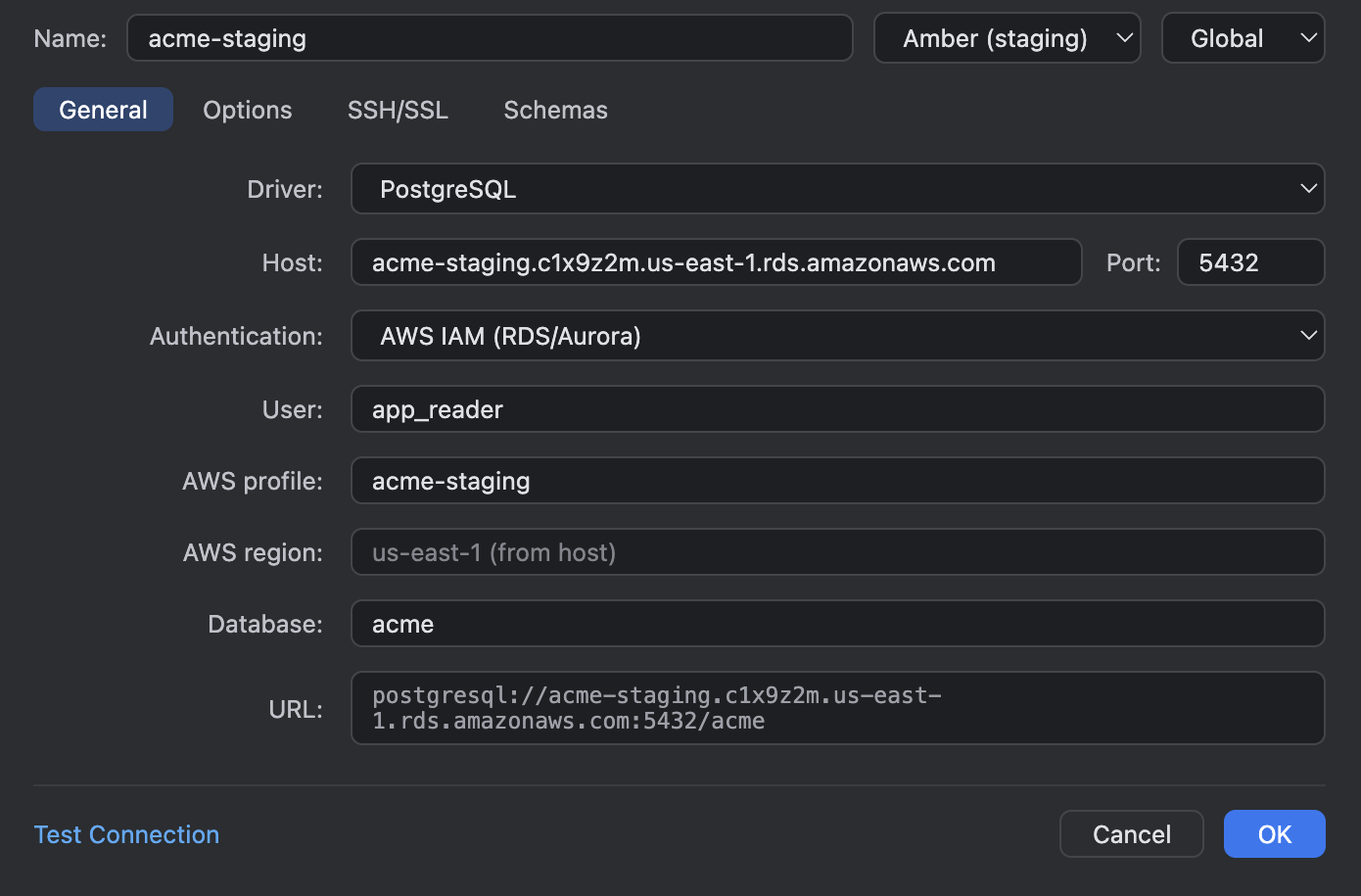
AWS IAM (RDS/Aurora) chosen: the Password row gives way to the AWS profile and a region read off the RDS host name. - Setting
tablecloth.aws.cliPathpoints Tablecloth at the AWS CLI when it is not in the usual install locations or onPATH. - Time zone per data source, on the Options tab. Tablecloth sets the session time zone when it connects, the way IntelliJ does, so
timestamptzvalues (PostgreSQL) andTIMESTAMPvalues (MySQL/MariaDB) render in that zone everywhere: data editors, console results, exports, and the literals you type into cells and filters. The default is Local, this machine's zone, which changes what existing data sources show: a column that read16:43:07+00on a server set to UTC now reads11:43:07-05from Jamaica, andnow()in a console answers in local time. Server keeps the server's own setting (the old behaviour), and any zone name can be picked from the list. The column header tooltip names the zone. If the server does not know this machine's zone, Tablecloth says so once and leaves the server's zone in place. On a MySQL server without time zone tables the zone's current UTC offset stands in, with a one-time warning.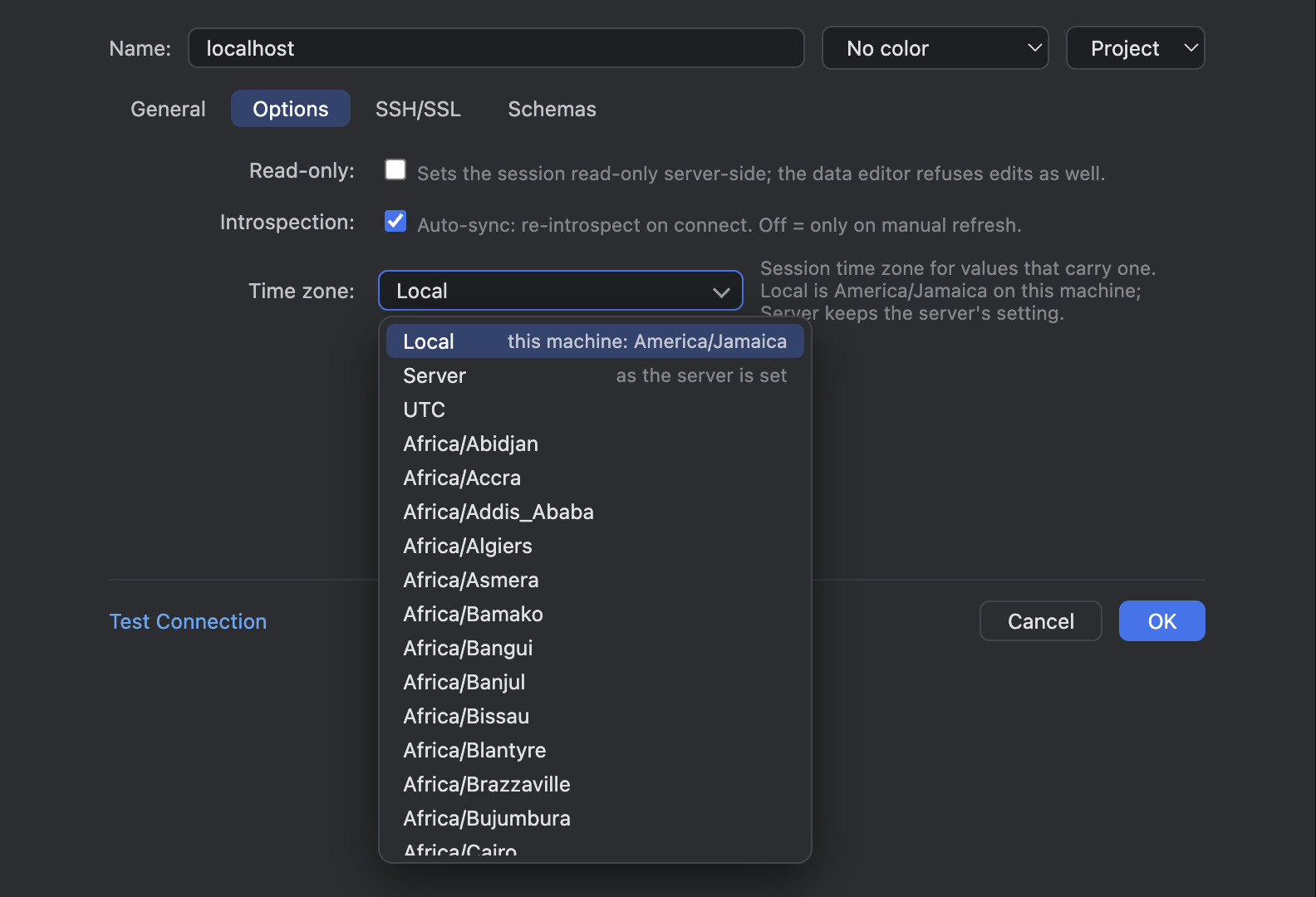
The Time zone field on the Options tab, Local by default, with the zone list open. 
The same events table from Jamaica: happened_at (timestamptz) in -05, scheduled_at (timestamp) untouched.
Changed
- Saving a data source in a mode other than User & Password (pgpass, AWS IAM, no auth) now deletes a password left in the keychain by an earlier mode.
- Result tabs in the Tablecloth panel have a right-click menu: Close, Close Other Tabs and Close All Tabs.
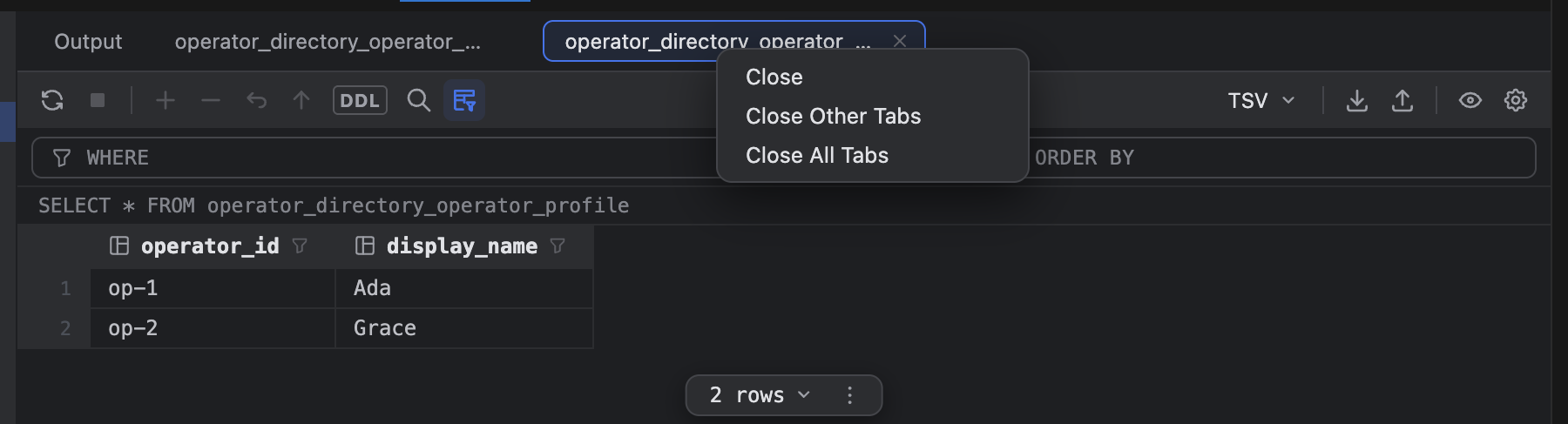
The result tab's right-click menu, and the close icon on the active tab.
Fixed
- Tooltips in the grids, the explorer, consoles, the import dialog and the data source dialog are drawn by Tablecloth itself, in the IntelliJ style, so they show in floating windows as well; the browser's own title tooltips never appeared there, which hid the column header details, the "Select all" and filter hints, long cell values and the toolbar labels.

The column header tooltip drawn in-page in a floating window, naming the zone the column is shown in. - A PostgreSQL server on md5 or password authentication now gets the same readable "no password is saved for this data source" message as a SCRAM server when the data source has no password; before, it showed the server's "empty password returned by client".
- A result tab named after a long table (
main.operator_directory.operator_role_grant) hid its close icon: the name ran to the tab's edge and pushed the × out of view. The name now truncates first, and the × shows on hover and on the active tab.
Added
- Explain Plan and Explain Analyse, from the console toolbar's Explain dropdown, the editor's context menu, and the Tablecloth: Explain Plan and Tablecloth: Explain Analyse commands. The plan opens in a Plan tab next to the results: a tree of operations with what each works on, its cost and its row estimate, or the same nodes as a table with every figure. Explain Analyse runs the statement and adds the actual rows and the time per node, with a heat bar so the node that lied stands out. Every analyse is rolled back (a savepoint inside an open transaction, a transaction of its own otherwise), so a
DELETEorUPDATEcan be analysed without losing data on a transactional engine. PostgreSQL, MySQL and MariaDB (through itsANALYZE) give the full plan; SQLite has no analyse and shows its query plan instead, with a note in the Output.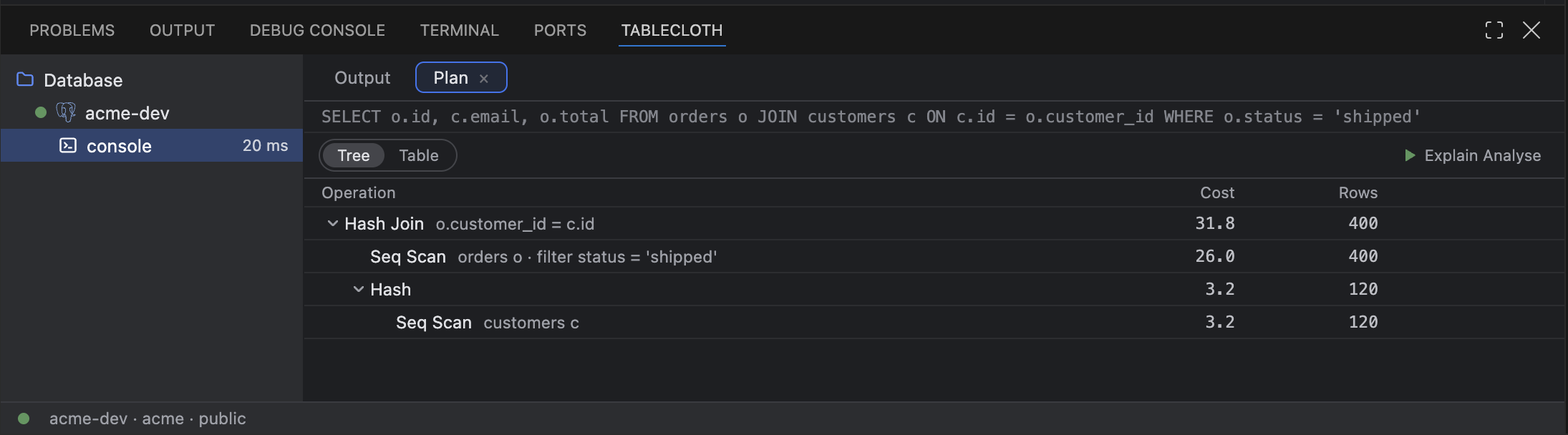
Explain Plan on a join: the operations as a tree, costs and row estimates, Explain Analyse a click away. 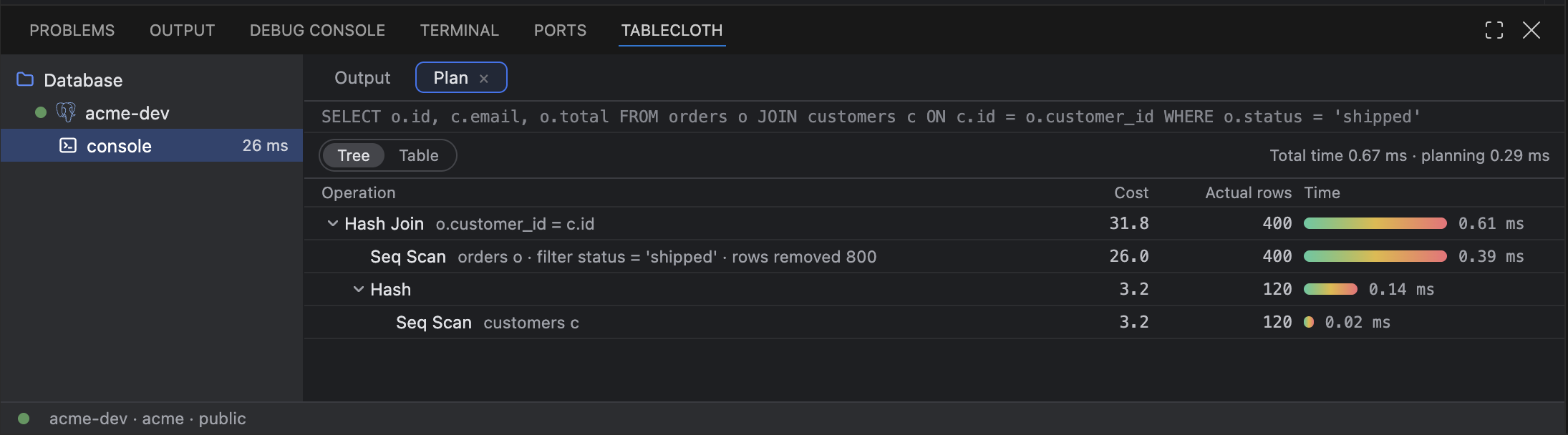
Explain Analyse: the real numbers, rows removed by the filter, and the time per node. - A
DELETEorUPDATEwith noWHEREclause gets a warning squiggle in consoles and attached.sqlfiles, and asks before it runs. The dialog names the table and how many rows it holds, counted on the console's own session so an open transaction's changes are included. Cancel is the default button, so a stray ⏎ after ⌘⏎ cancels; Run anyway runs it, and Don't ask again for this console silences it for that console. Run File on Data Source asks the same question with a Run all anyway answer for the rest of the run. The check follows IntelliJ's exemptions: aLIMIT, aJOINwhose condition constrains the table being written, and anUPDATEwhose every assignment reads its own column are left alone.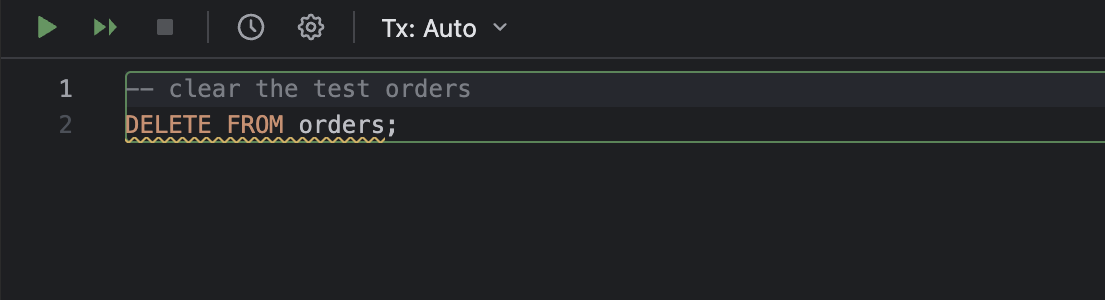
The whole statement is marked, comment excluded. 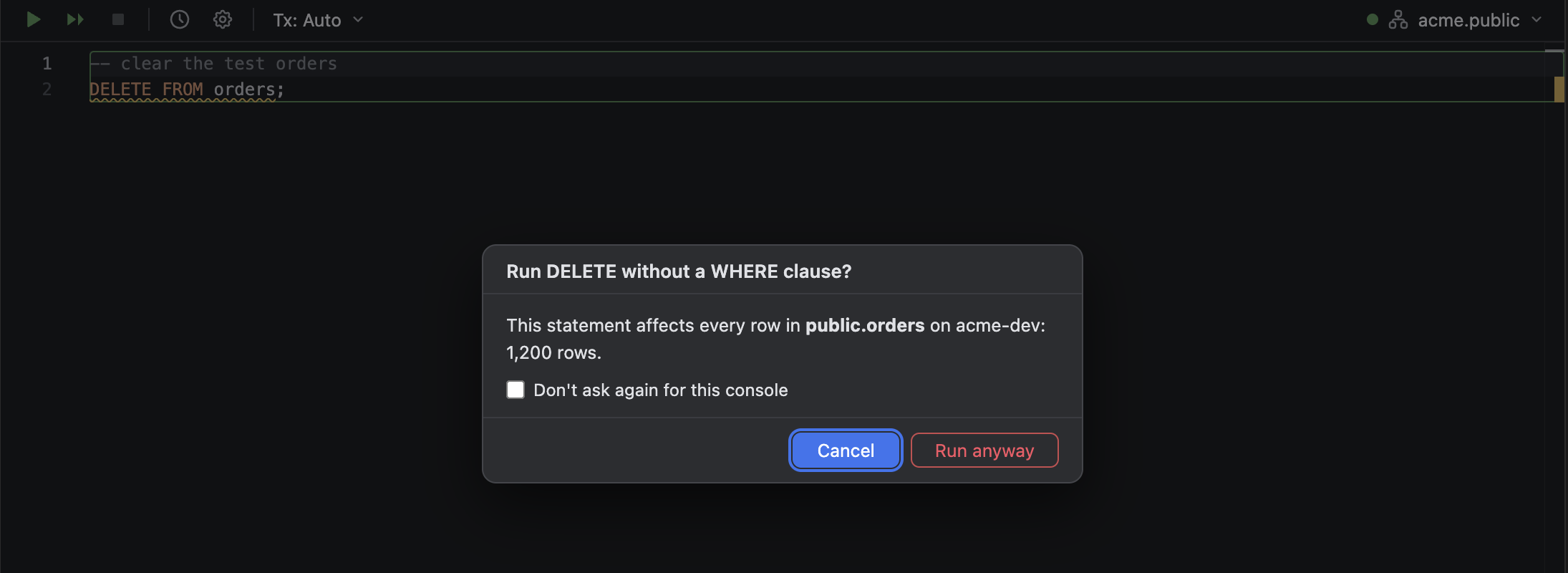
The dialog names the table and its row count; Cancel has focus. - Setting
tablecloth.execution.warnWithoutWhereturns the question off everywhere. Changing it, in either direction, resets every console's "Don't ask again" choice.
Changed
tablecloth.inspections.enablednow also governs the DELETE or UPDATE without WHERE inspection.
Changed
- The README and the Marketplace listing point at the docs site, sultanofcardio.github.io/tablecloth: the roadmap, the changelog and the known limits live there now, and the extension's homepage is the site.
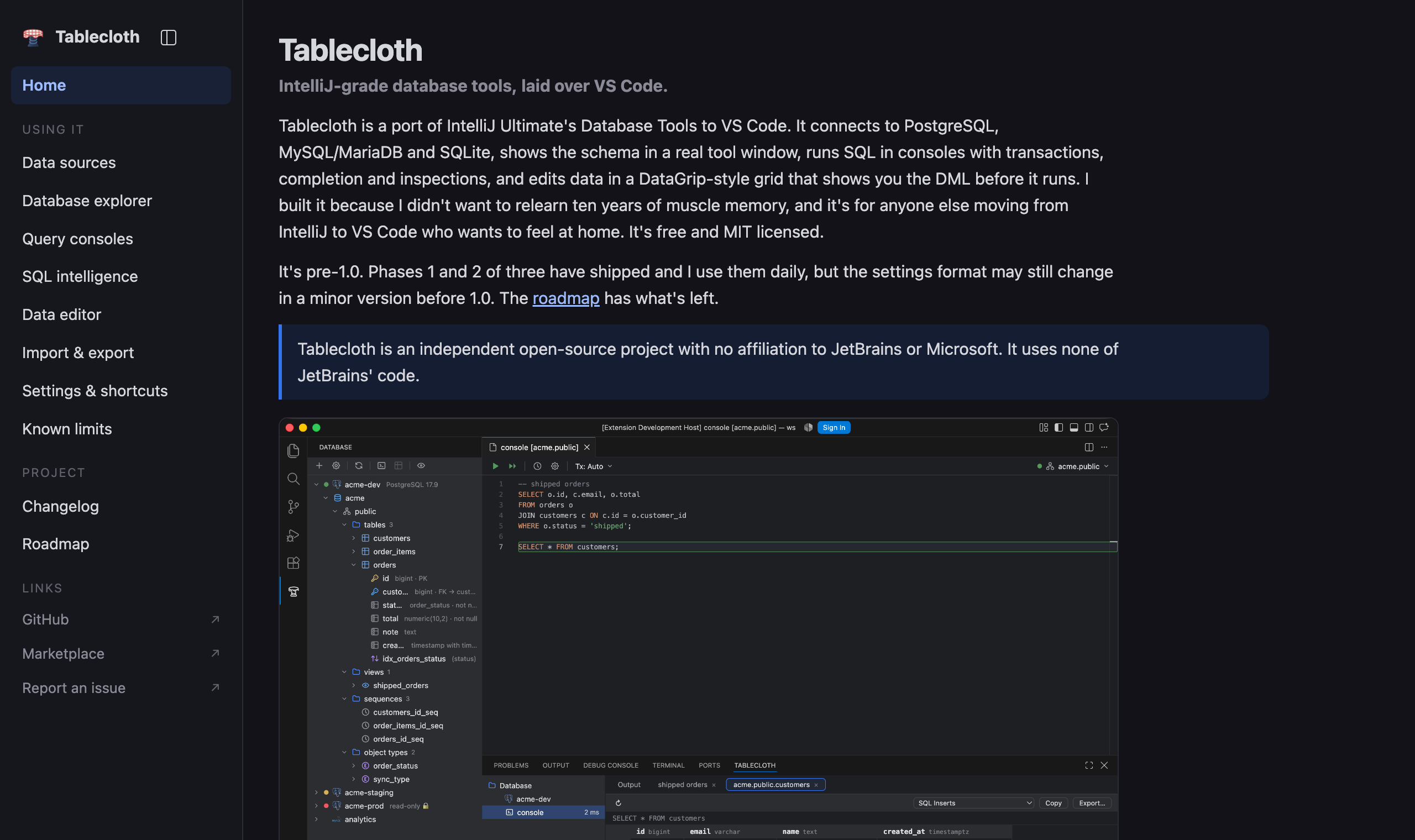
The docs site the README and the listing point at now.
Phase 2 (daily driver) of the plan: edit data in the grid, and trust the SQL the console writes for you.
Added
- Editable data grid: double-click a cell (or press F2) to edit it, and the change accumulates locally (edited cells blue, added rows green, deleted rows struck through). Submit shows the exact DML first and runs it as one atomic batch; Revert selected or Revert all throws it away.
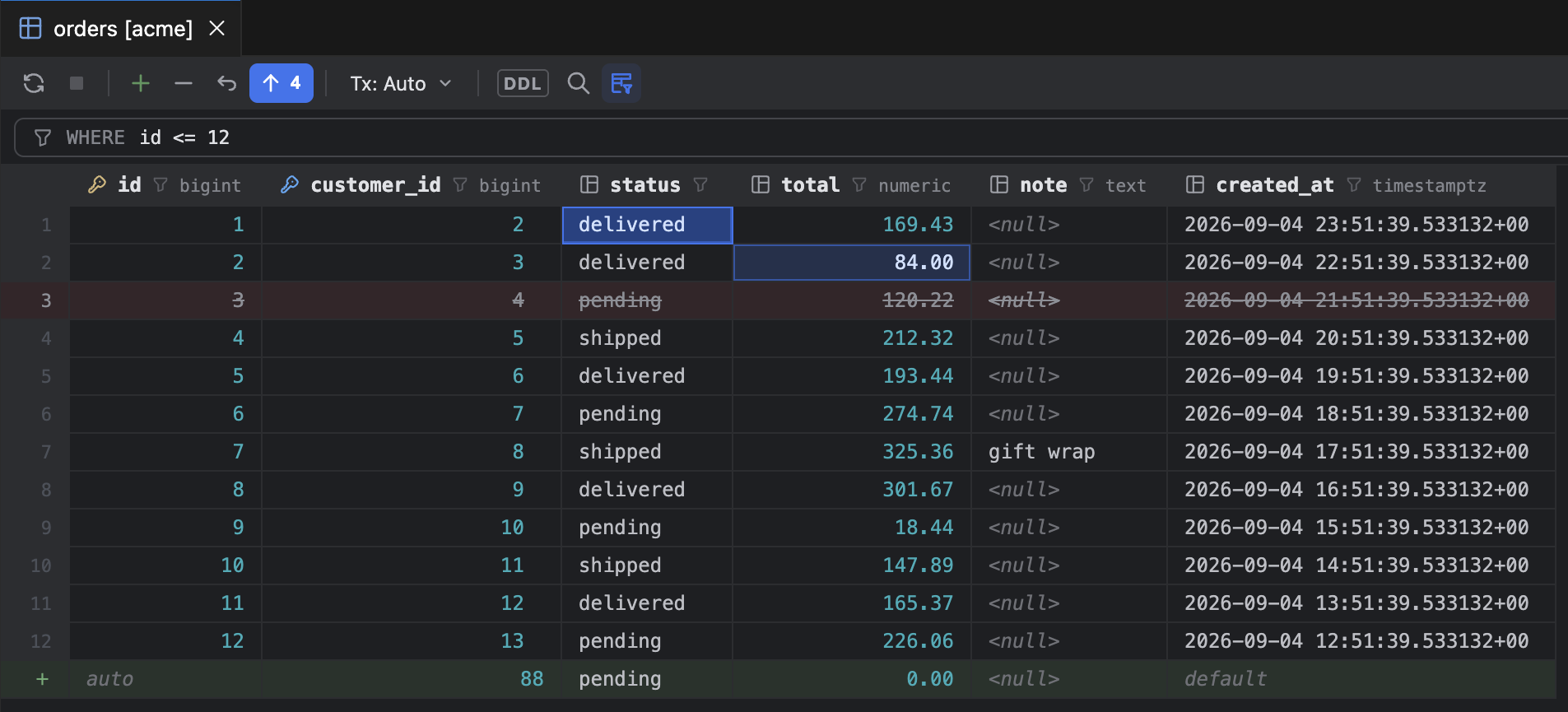
Two edited cells, a deleted row and a new row: four pending changes, nothing sent yet. 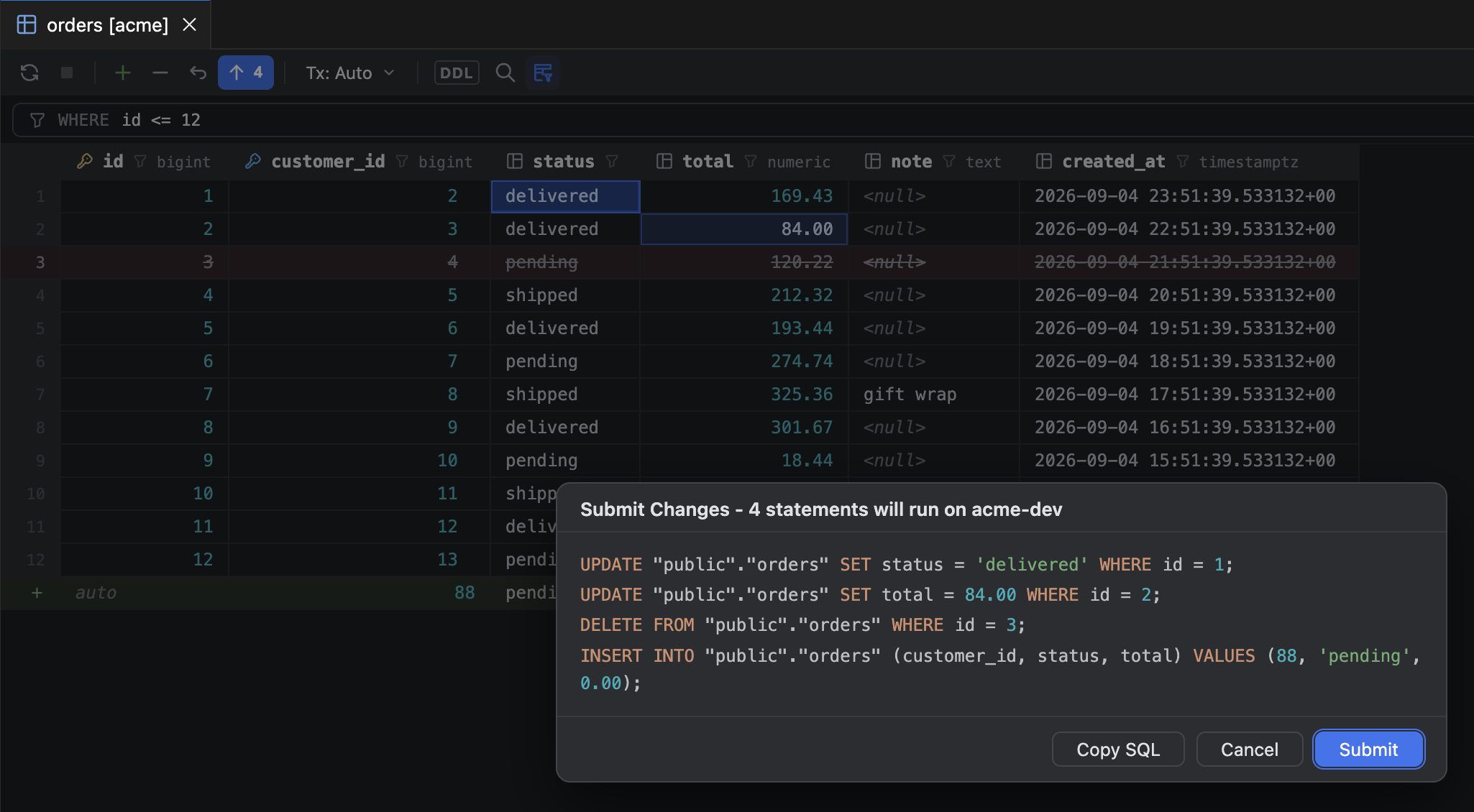
Submit shows the four statements before they run, as one batch. - Row operations in the grid toolbar and context menu: add a row, clone the selected row, delete rows, and Set NULL or Set DEFAULT on any cell.

A new row with its auto and default placeholders, and the Submit button counting the changes. - Transaction mode per data editor, with isolation levels and commit or roll back, alongside the mode already available per console.
- WHERE and ORDER BY fields above the grid, each with an IntelliJ-style completion lookup over the table's columns, the keywords valid in that clause, and functions. Nothing completes inside a string literal, and completing inside a quote you already typed keeps that quote.

The WHERE lookup offering a column and a table after three letters. - Sorting and filtering from the header: click a column header to write the ORDER BY (Alt-click to sort by several columns), open a column funnel to pick from its distinct values, or use Filter by value on a cell.
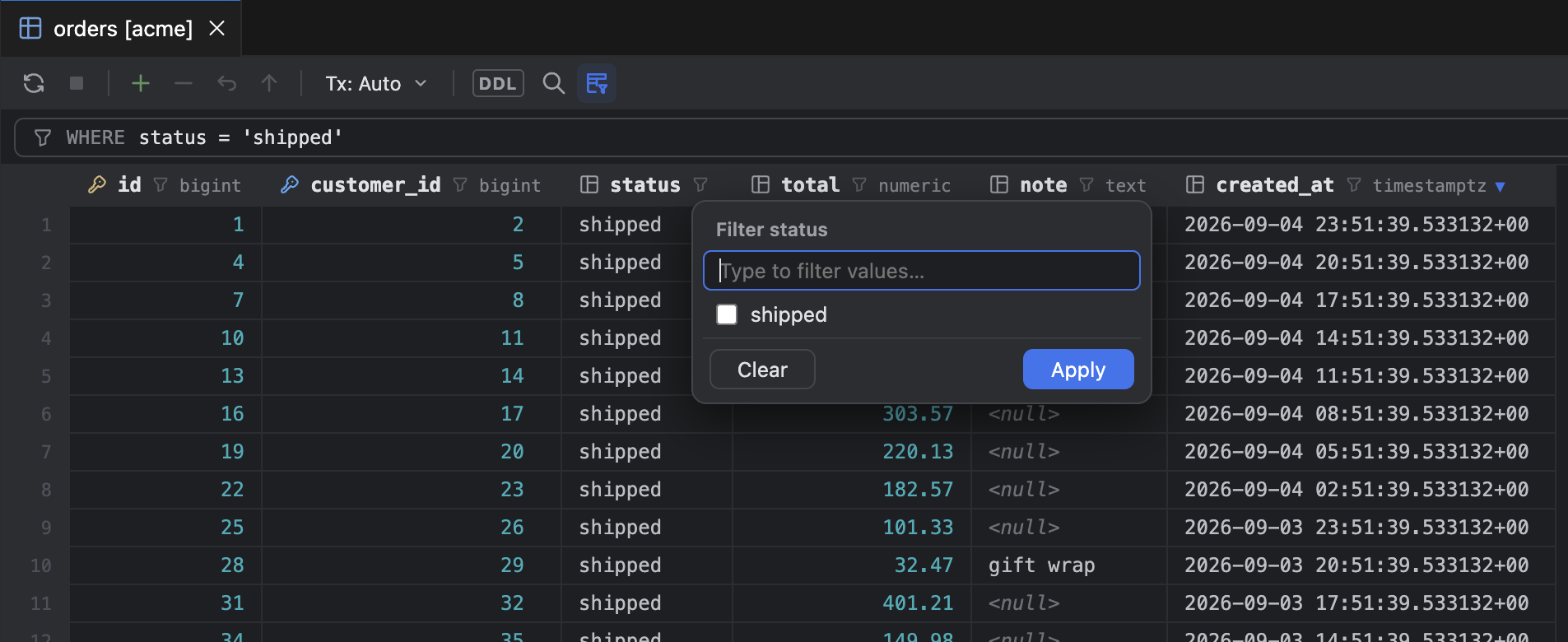
Sorted by created_at from its header, with the status funnel open. - Foreign-key navigation: a FK cell jumps to the referenced row, and the context menu opens the rows that reference the current one. View Query and Copy Query to Console show the SQL behind the grid.
- Alternate views of a result: transpose, Table, Tree, and Text views, a value editor for long values (⇧⏎), the column list (⌘F12), and find in page (⌘F).
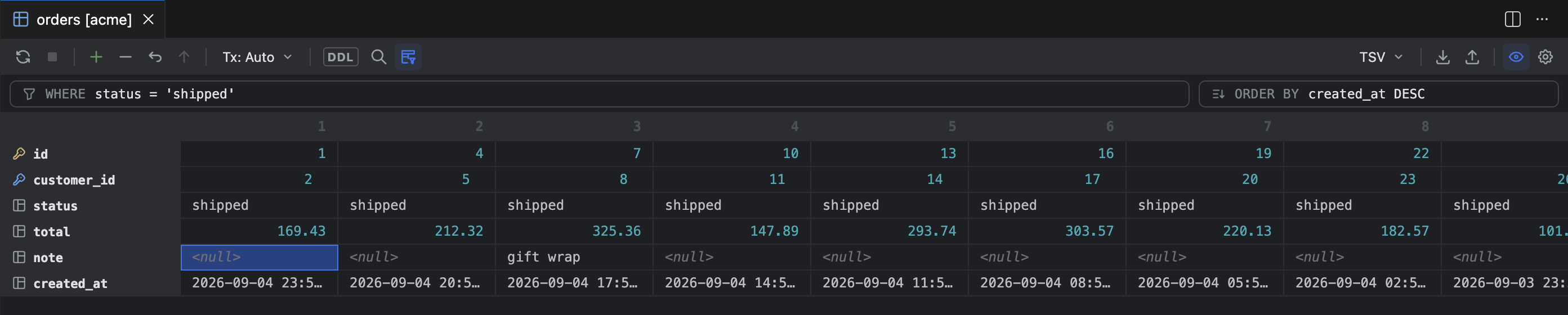
The same page transposed, one column per row. - Console intelligence: completion for keywords and functions as well as objects, JOIN clauses and ON conditions inferred from foreign keys, live templates (
sel,selw,ins,upd,del,tab, and friends), inspections for unresolved tables and columns with Change-to quick fixes, Format SQL (⌘⌥L, or Format Document),:nameand${name}parameters with a values dialog, and cancelling a running statement (⌘F2).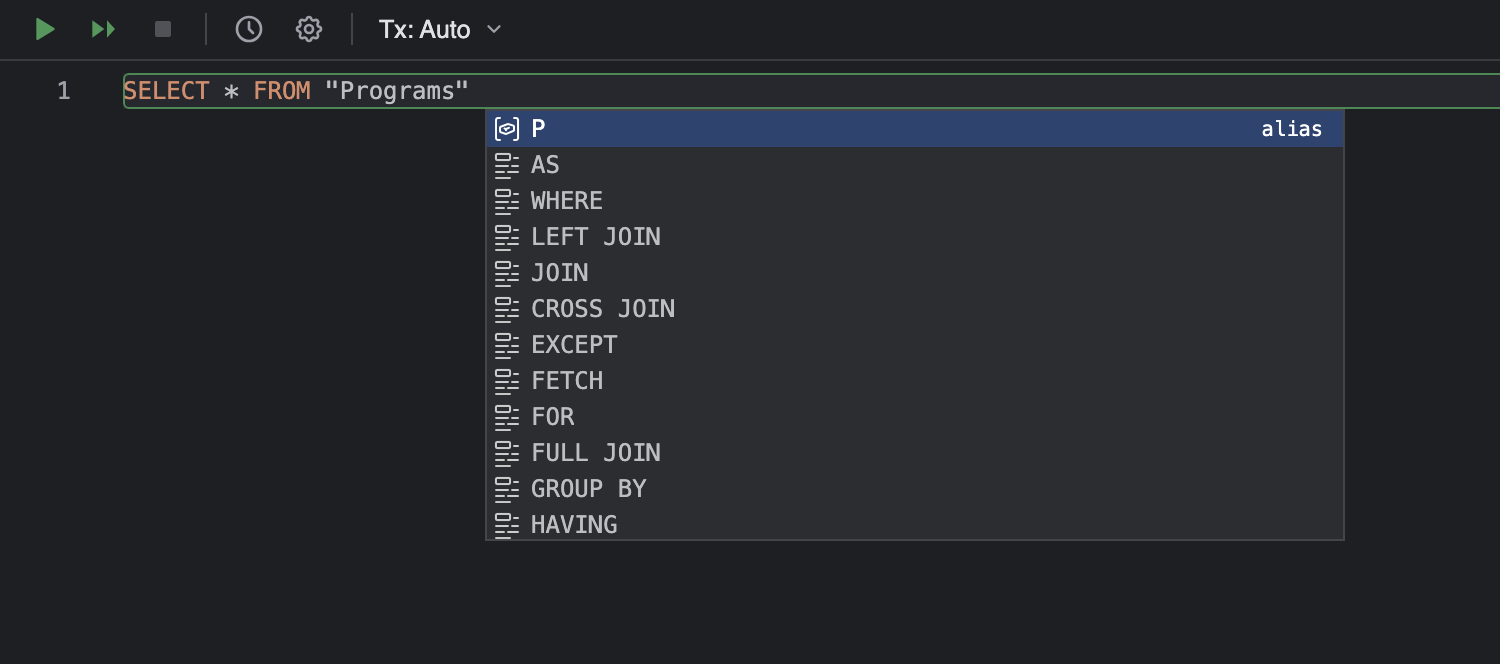
Alias and keyword suggestions after a table name. 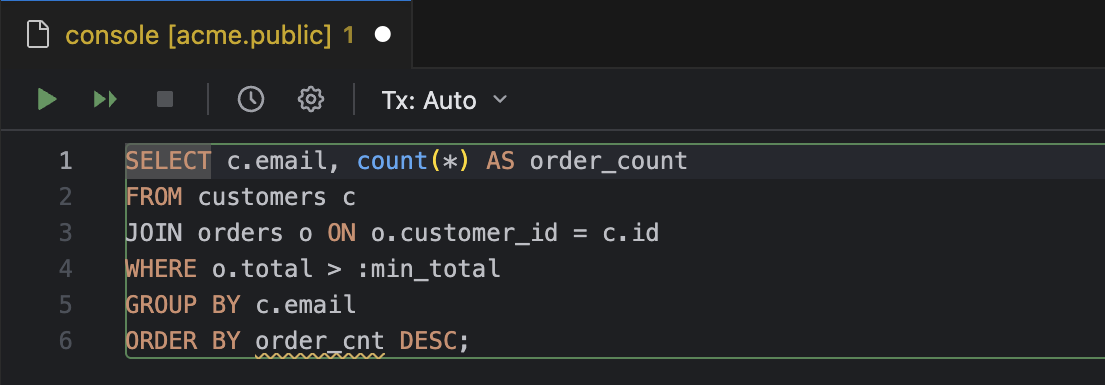
An unresolved column flagged in the console, and a :min_total parameter waiting for a value. 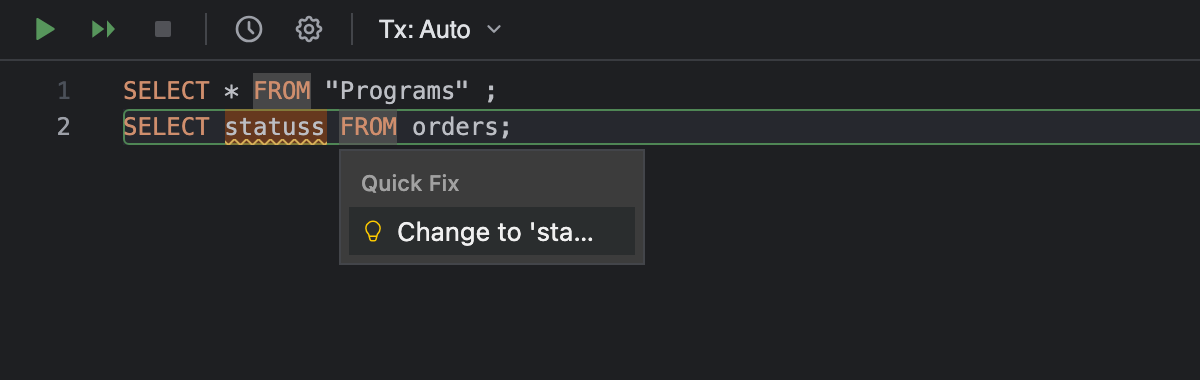
The Change-to quick fix on the flagged column. 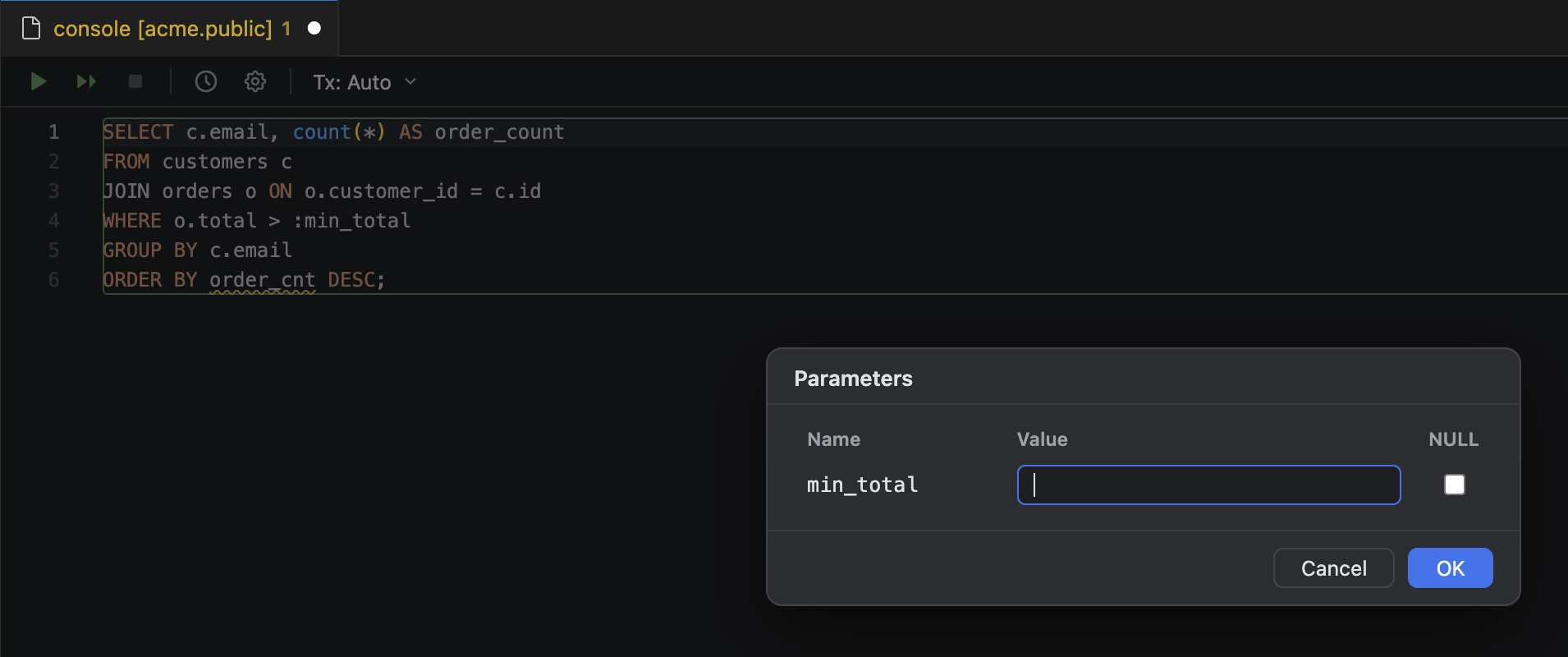
The Parameters dialog on run. - Import Data from File: delimiter detection, a column mapping step, creating the target table from the file, and batched inserts that stop or skip on error.
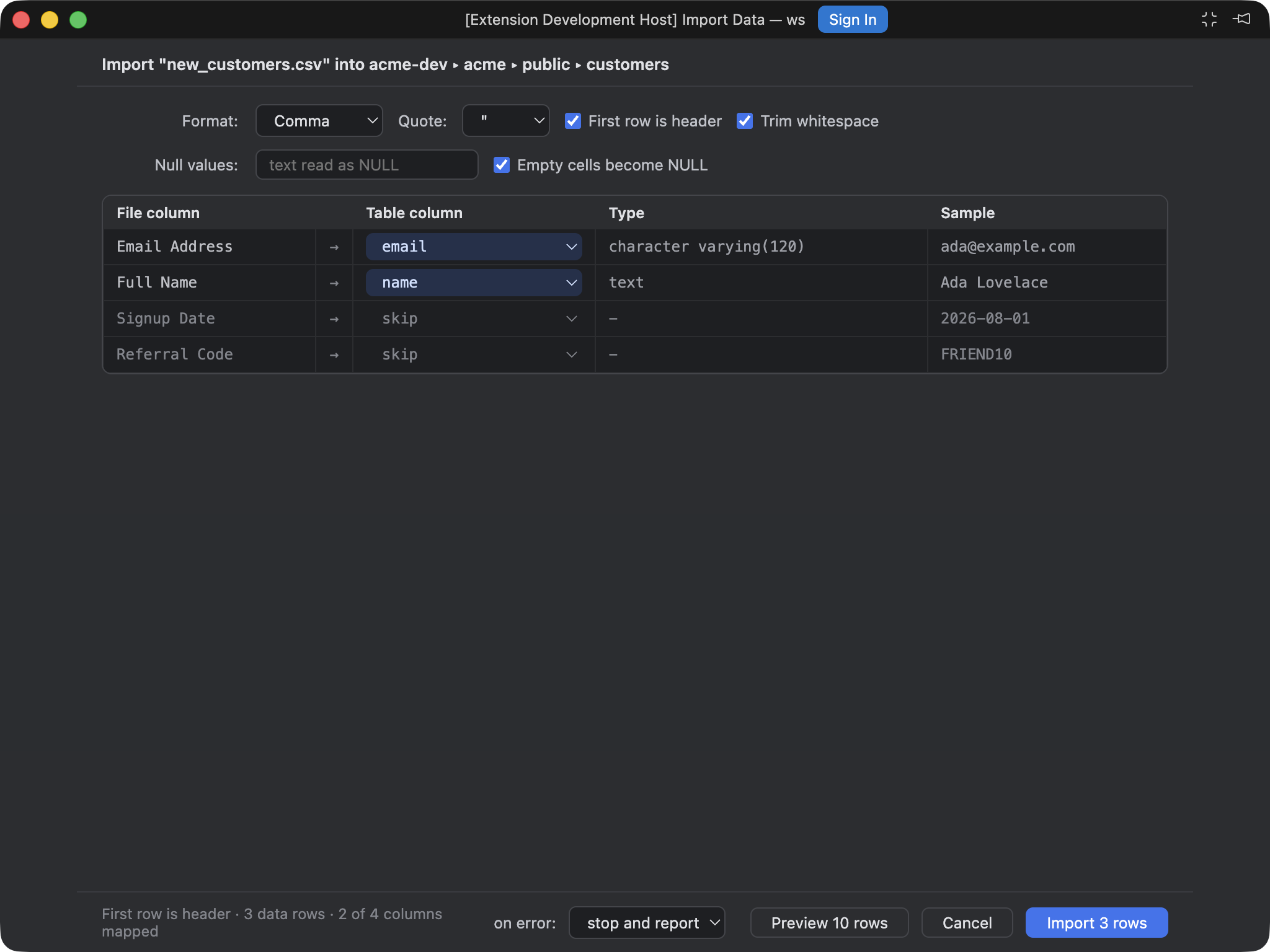
Import Data in its own window: format settings, the column mapping, and the row count on the button. - New extractors: HTML, JSON, Markdown, One-row, Pretty, Python-DataFrame, SQL-Insert-Multirow, and XML. Excel (
.xlsx) is available through Export Data, and the extractor and Export menus follow IntelliJ's shape. - Go to Database Object (⌘⇧O) searches every introspected source, and Go to DDL opens the CREATE statement for tables, views, routines, sequences, and enum types.
Changed
- Console result grids are editable only for single-table SELECTs whose key columns are in the result. Any other result opens read-only and says why.
- The SQL Updates extractor keeps known primary-key values in the WHERE clause even when the key column is not among the exported columns, while SET still covers only the columns you selected.
- An SQL Updates copy or export whose selected columns are all part of the key has nothing to set, so it produces a single comment naming the key columns and how to get UPDATE statements; the grid says the same in the status bar after a copy, or as a warning after an export to file, so the result is never silently empty.
Fixed
- An isolation level is applied to the session that runs the statements it governs, and is reapplied to a fresh session after a reconnect.
- Exports and client-side sorting keep 64-bit integers exact; large values no longer round through a floating-point value.
- Generated SQL quotes reserved words and case-sensitive identifiers for the dialect in hand, so tables and columns named after keywords round-trip.
Known limits
- The grid is no longer read-only. The limits this release still carries are listed in the known limits page.
Changed
- New data sources default to Project scope (workspace settings) whenever a trusted workspace folder is open, so a source stays with the code it belongs to. Global remains a click away in the dialog, and is still the default with no folder open or in Restricted Mode.

The Scope selector next to the name, defaulting to Project. - The Project option in the Data Sources dialog is disabled in Restricted Mode instead of failing on save.
Added
- Marketplace listing: preview flag, pricing, gallery banner, homepage and issue links.
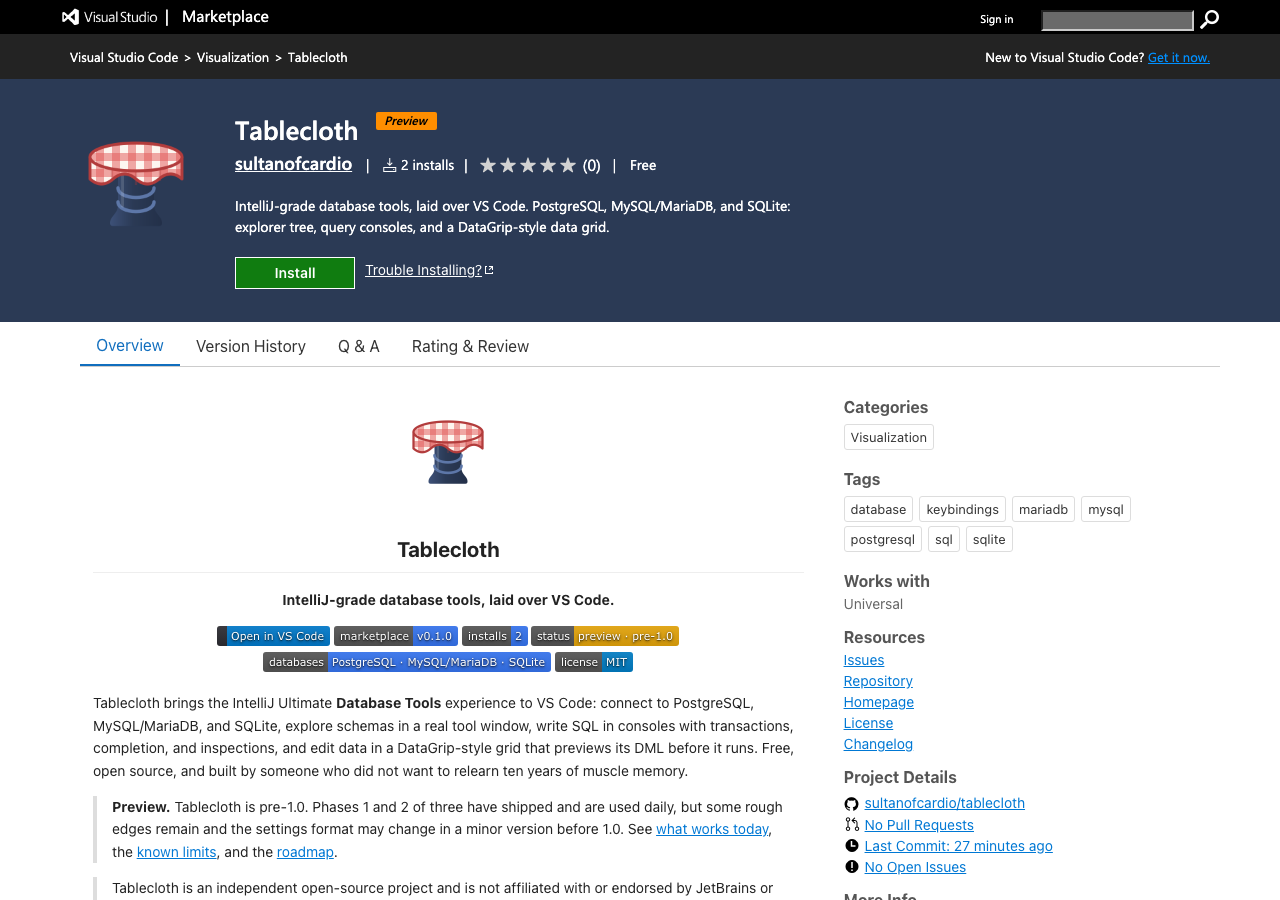
The listing on the Marketplace. - Workspace trust support. In Restricted Mode, Project (workspace) data sources are hidden and cannot be created; they appear as soon as the workspace is trusted. Global data sources, consoles, and the grid are unaffected.
- Virtual workspace support, limited to sources whose files (SQLite databases, SSH keys, CA certificates) live on the local disk.
- GitHub Actions: CI on every push and pull request, and a tag-driven release that packages, publishes to the Marketplace, and creates the GitHub release with the vsix attached.
Changed
- The
datagripkeyword no longer appears in the manifest. - The vsix no longer ships the README screenshots or repository tooling files.
- README rewritten for the Marketplace, with an Open in VS Code button and live Marketplace badges; the roadmap moved to its own page.
Security
- The console webview now bundles DOMPurify from the npm package (3.4.14) instead of the older copy vendored inside Monaco, picking up the fixes for GHSA-c2j3-45gr-mqc4, GHSA-cmwh-pvxp-8882, GHSA-vxr8-fq34-vvx9, and GHSA-55q2-fjhq-7xh7.
First release: Phase 1 (MVP) of the plan.
Added
- Connect: PostgreSQL, MySQL/MariaDB, and SQLite data sources with SSH tunnels, SSL modes, and pgpass. An IntelliJ-styled Data Sources dialog in its own floating window, with local validation, auto-derived names, and Test Connection. Global (user) and Project (workspace) scopes. Passwords stored only in the OS keychain. Per-source env colors and server-side read-only mode.
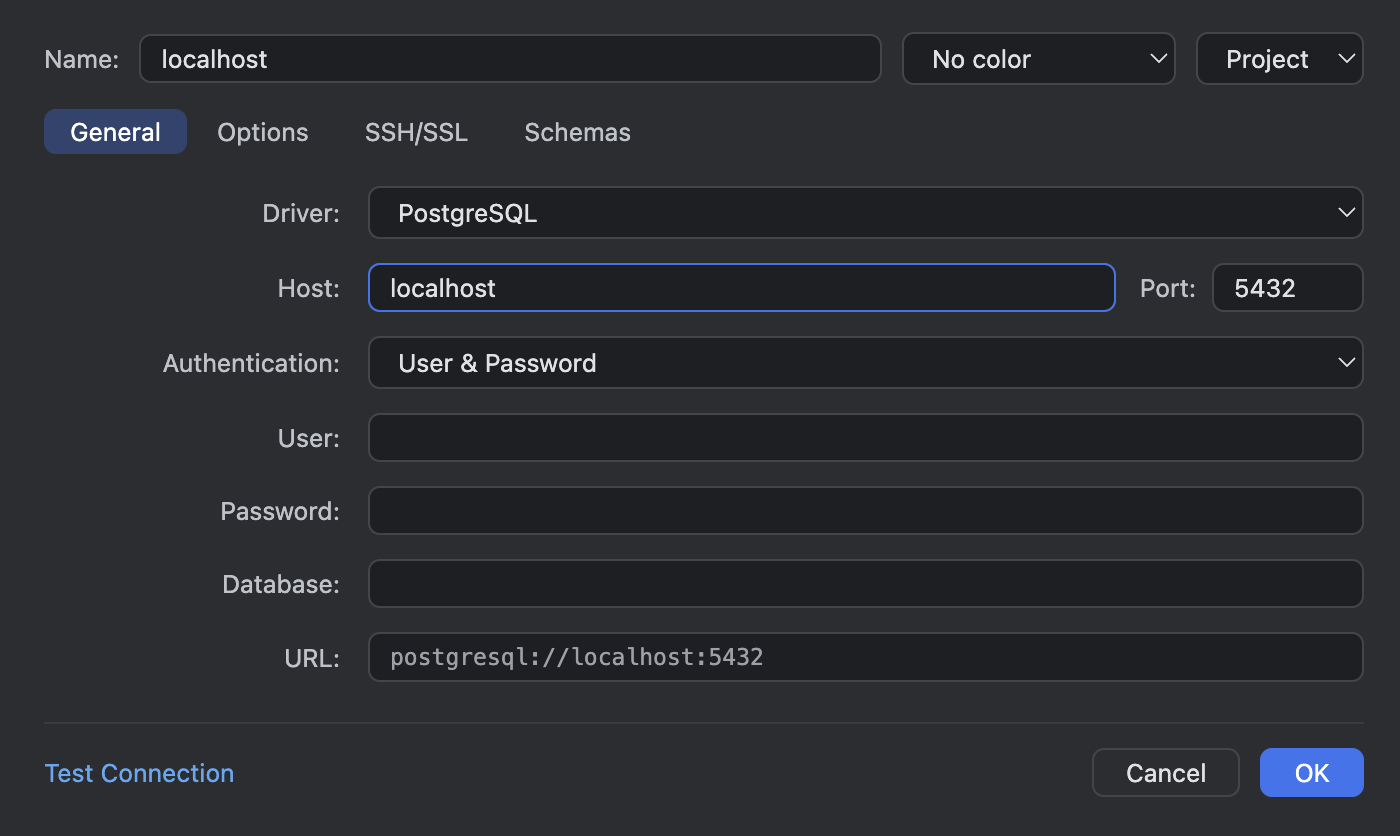
The Data Sources dialog in its own floating window. - Explore: a Database tool window in IntelliJ's design language: vendor marks, env dots, introspection badges, schemas, tables with PK/FK keys, indexes, views, sequences, routines, and enum types. Toolbar row, anchored context menus, lazy introspection, and a data source Information tab in the Tablecloth panel.
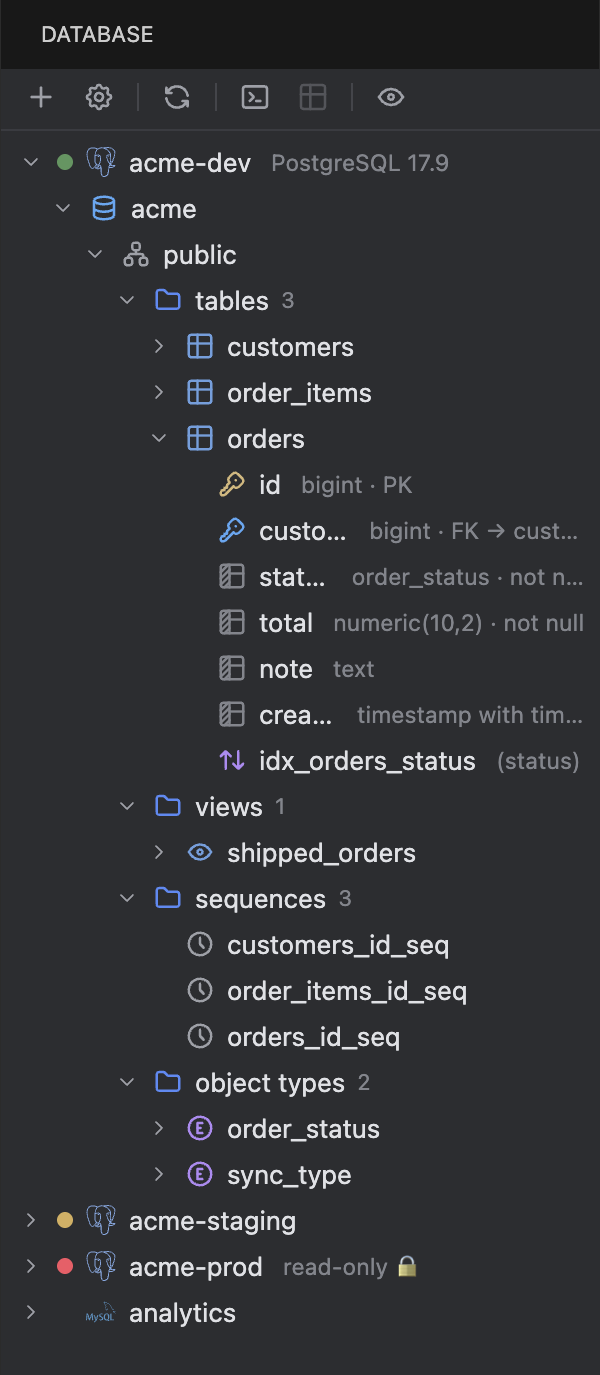
The Database tool window with a PostgreSQL source expanded to its columns. - Query: Monaco-based consoles under an IntelliJ toolbar. Run statement (⌘⏎) with the statement frame, run script, a schema switcher that really switches (
search_path/USE), transaction mode (Auto/Manual) with isolation levels and commit/rollback, query history, and schema-aware completion that quotes identifiers when the dialect needs it. Consoles persist, rename, and reopen from the console dropdown.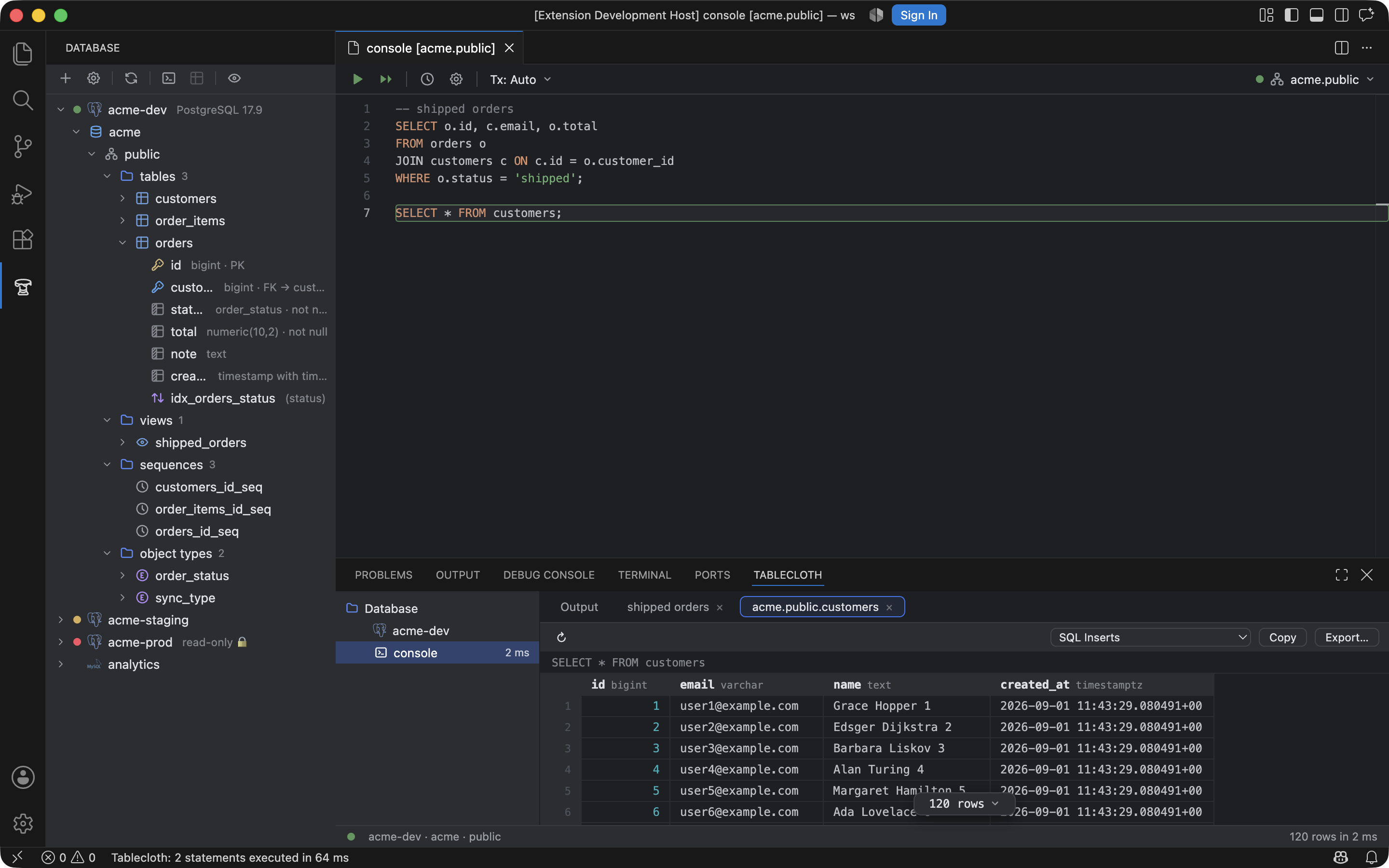
A console bound to acme.public, the statement frame on the caret's statement. - Results: the Tablecloth panel mirrors consoles (Database → source → console) with per-console result tabs and Output logs. A DataGrip-style grid with the two-state floating pager, count on demand, sorting, and row selection. Extractors for SQL Inserts/Updates, Where Clause, and the CSV family. "Run File on Data Source…" for any
.sqlfile.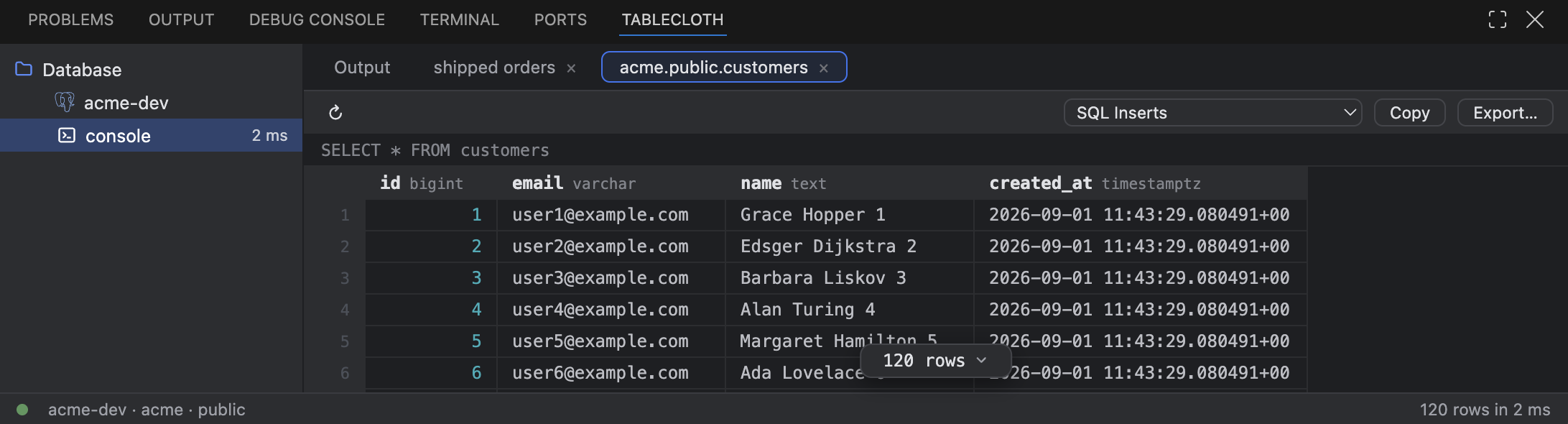
The Tablecloth panel: the console tree, a result tab per statement, the grid and the extractor picker.
Known limits
- The grid is read-only.
- MySQL
DELIMITERblocks are not understood by the statement splitter. - SQLite empty results lose their column headers.
- An isolation level is not reapplied after a silent reconnect.
- Paste in the console uses the keyboard; Monaco's context-menu Paste is inert inside webviews.