
Data sources
A data source is a saved connection. Project sources are written to the workspace settings and travel with the repo; Global sources live in your user settings. Passwords, SSH passwords and key passphrases go to the OS keychain through VS Code's secret storage and never touch a settings file.
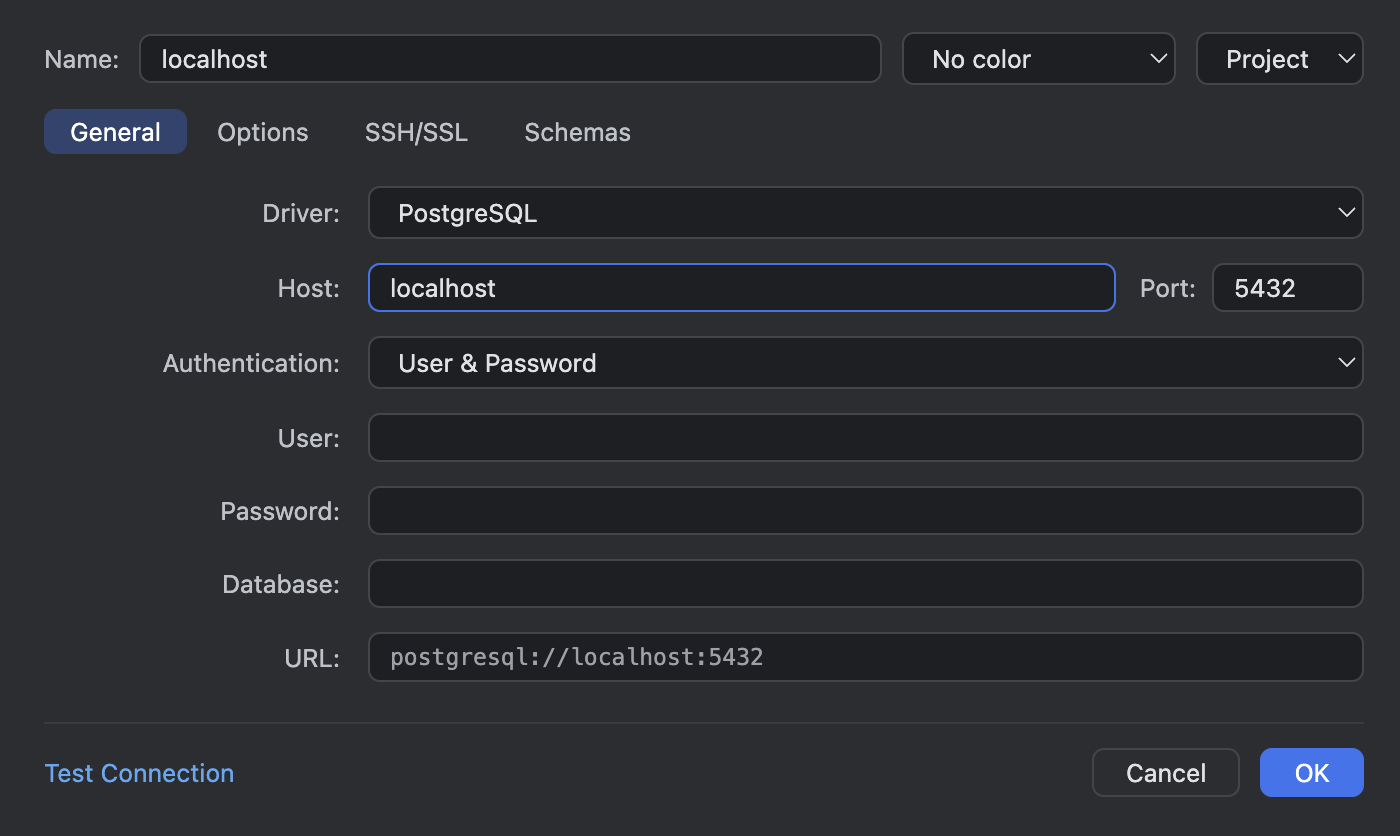
The dialog opens in its own floating window, IntelliJ-style. tablecloth.dialogs.openIn switches it to an editor tab.
Creating one
- Open the Database view and press + in the toolbar, or run New Data Source… from the command palette.
- Pick the driver. The name derives itself from the host and database until you type your own.
- Fill in the tabs below, press Test Connection, then OK.
What's in the dialog
| Field | Notes |
|---|---|
| Name | Auto-derived from host and database until you edit it. |
| Env colour | None, green, amber, red, blue or purple. Marks the source in the explorer and the Tablecloth panel so production looks different from local. |
| Scope | Project (workspace settings, the default when a trusted folder is open) or Global (user settings). The Project option is disabled in Restricted Mode. |
| Driver | PostgreSQL, MySQL/MariaDB, SQLite. |
| Host, port, database | PostgreSQL and MySQL. SQLite takes a file path instead; the file must be on the local disk. |
| Authentication | User and password, pgpass (PostgreSQL reads ~/.pgpass), AWS IAM (RDS/Aurora), or no auth. The IAM mode has its own section below. |
| Read-only | Enforced by the server session, so a stray UPDATE fails at the database. |
| Auto-sync | On: re-introspect on connect. Off: the tree only changes when you press Refresh. |
| Time zone | The session time zone, set when Tablecloth connects: Local (this machine's zone, the default), Server (the server's own setting), or any zone from the list. Governs how timestamptz (PostgreSQL) and TIMESTAMP (MySQL/MariaDB) values render. Its own section below. SQLite has no session zone and no field. |
| SSH/SSL tab | SSH tunnel with password, key file or agent auth. SSL mode disable, require, verify-ca or verify-full, with an optional CA file. Key and CA files must be on the local disk. |
| Schemas tab | Which schemas (PostgreSQL) or databases (MySQL) to introspect. Empty means the driver's default. |
AWS IAM (RDS/Aurora)
An RDS or Aurora database with IAM authentication takes a token in place of the password, signed by an AWS principal and good for fifteen minutes. In this mode Tablecloth mints that token itself, through the AWS CLI, every time it connects: nothing to paste, nothing stored, and a reconnect after a dropped session just works. The token only matters for the handshake, so a session that outlives its fifteen minutes carries on.
Setting one up:
- Grant the database role. PostgreSQL:
GRANT rds_iam TO app_reader;. MySQL:CREATE USER app_reader IDENTIFIED WITH AWSAuthenticationPlugin AS 'RDS';. The AWS principal you sign in as needsrds-db:connecton the instance, cluster or proxy. - Sign in from a terminal:
aws sso login --profile acme-staging, or however your profile signs in. - In the dialog, choose AWS IAM (RDS/Aurora) under Authentication. User is the database role from step 1; the profile goes in its own field. AWS profile lists the profiles from
~/.aws/configand~/.aws/credentials, each with its region and whether it signs in through SSO or holds keys. Type any other name, or leave it blank for the default credential chain (AWS_PROFILE, environment variables, an instance role). - Test Connection, then OK. Test Connection mints a token and connects, the same as a real connect.
AWS region is read off the host name for every RDS endpoint (instance, cluster, reader and proxy names, and the .com.cn partition), and the field shows what it found. A CNAME or a custom DNS name carries no region, so the field asks for one before anything runs. The token is signed for the host you typed, which is what RDS checks, so it works through an SSH tunnel as well.
RDS only accepts the token over TLS, so choosing this mode moves an SSL mode of disable to require; the SSH/SSL tab still owns the field. The AWS CLI is looked for in its usual install locations and then on PATH; tablecloth.aws.cliPath points somewhere else. An expired SSO session, an unknown profile, a role without rds_iam or a missing CLI each come back from Test Connection as a message that names the next step.
A source in this mode stores the profile name and, only when you typed it, the region. Neither is a secret, so a Project source commits cleanly with the repo and each engineer's own sign-in does the rest.
Time zone
Every session gets a time zone when Tablecloth connects, the way IntelliJ sets one, so values that carry a zone (timestamptz on PostgreSQL, TIMESTAMP on MySQL/MariaDB) render in it everywhere: data editors, console results, exports, and the literals you type into cells and filters. The field is on the Options tab and defaults to Local, this machine's zone. A column that reads 16:43:07+00 on a server set to UTC reads 11:43:07-05 from Jamaica, and now() in a console answers in local time. Server keeps the server's own setting, and any zone can be picked from the list, which narrows as you type. The column header tooltip names the zone in use. Plain timestamp and date columns carry no zone and are left alone.
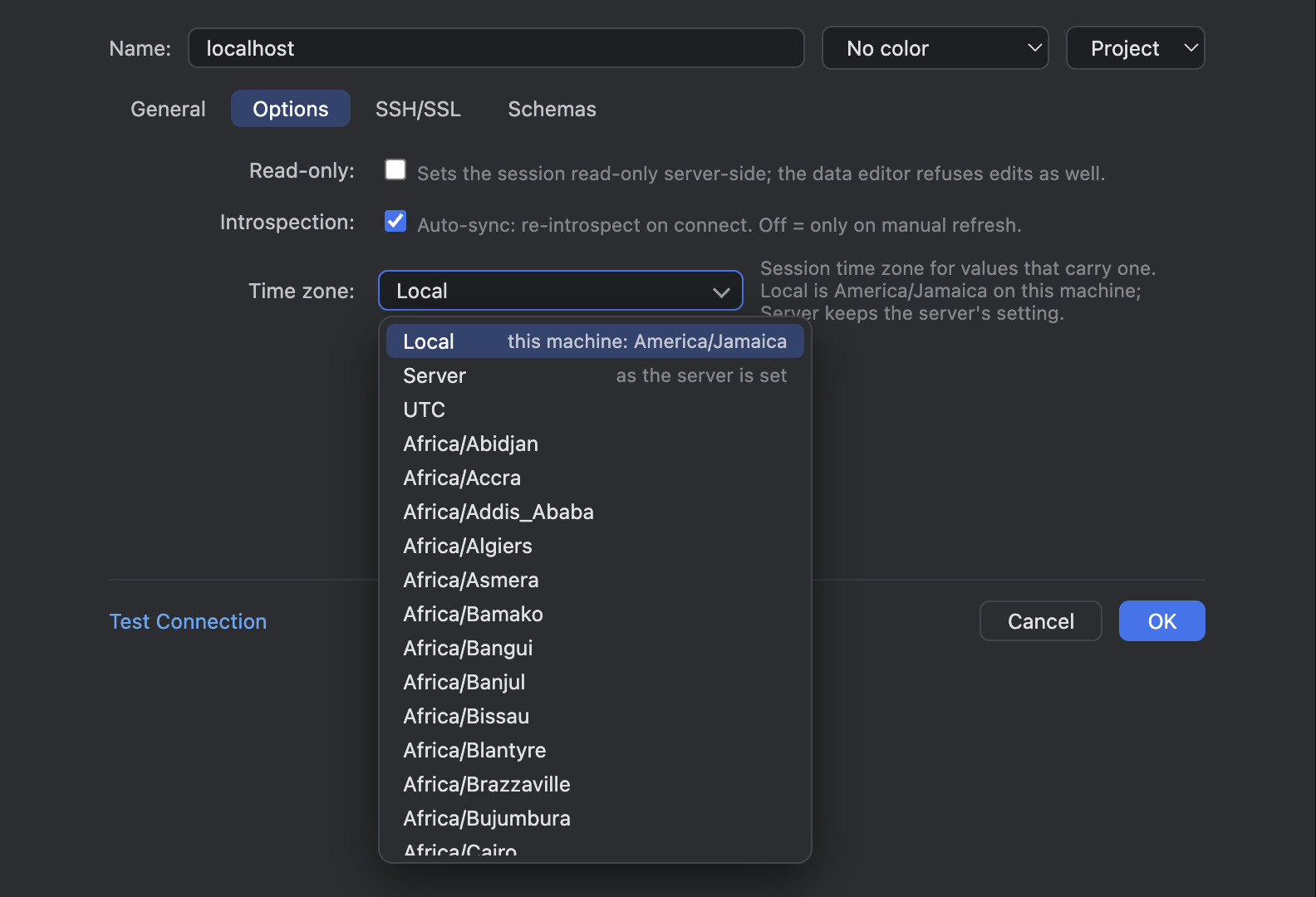
The Time zone field on the Options tab, Local by default, with the zone list open.

The same events table from Jamaica: happened_at (timestamptz) in -05, scheduled_at (timestamp) untouched.
If the server does not know this machine's zone name (an old tzdata, say), the Local default keeps the server's zone and says so once; a zone you chose yourself comes back from Test Connection as an error, so you see it. A MySQL server without time zone tables takes the zone's current UTC offset, with a one-time warning.
Where it's stored
Definitions go in the tablecloth.dataSources setting, in either workspace or user scope. You can read them, but edit them through the dialog; the id field ties a definition to its secrets in the keychain. Duplicating a source (Duplicate Data Source in the context menu) copies the definition and its saved secrets under a new id. Removing one deletes its saved passwords too.
Workspace trust
In Restricted Mode, Project data sources are hidden and can't be created until you trust the workspace. Global data sources, consoles and the grid work as usual. In a virtual workspace, SQLite files, SSH keys and CA certificates must live on the local disk; running a .sql file from the virtual workspace works.